
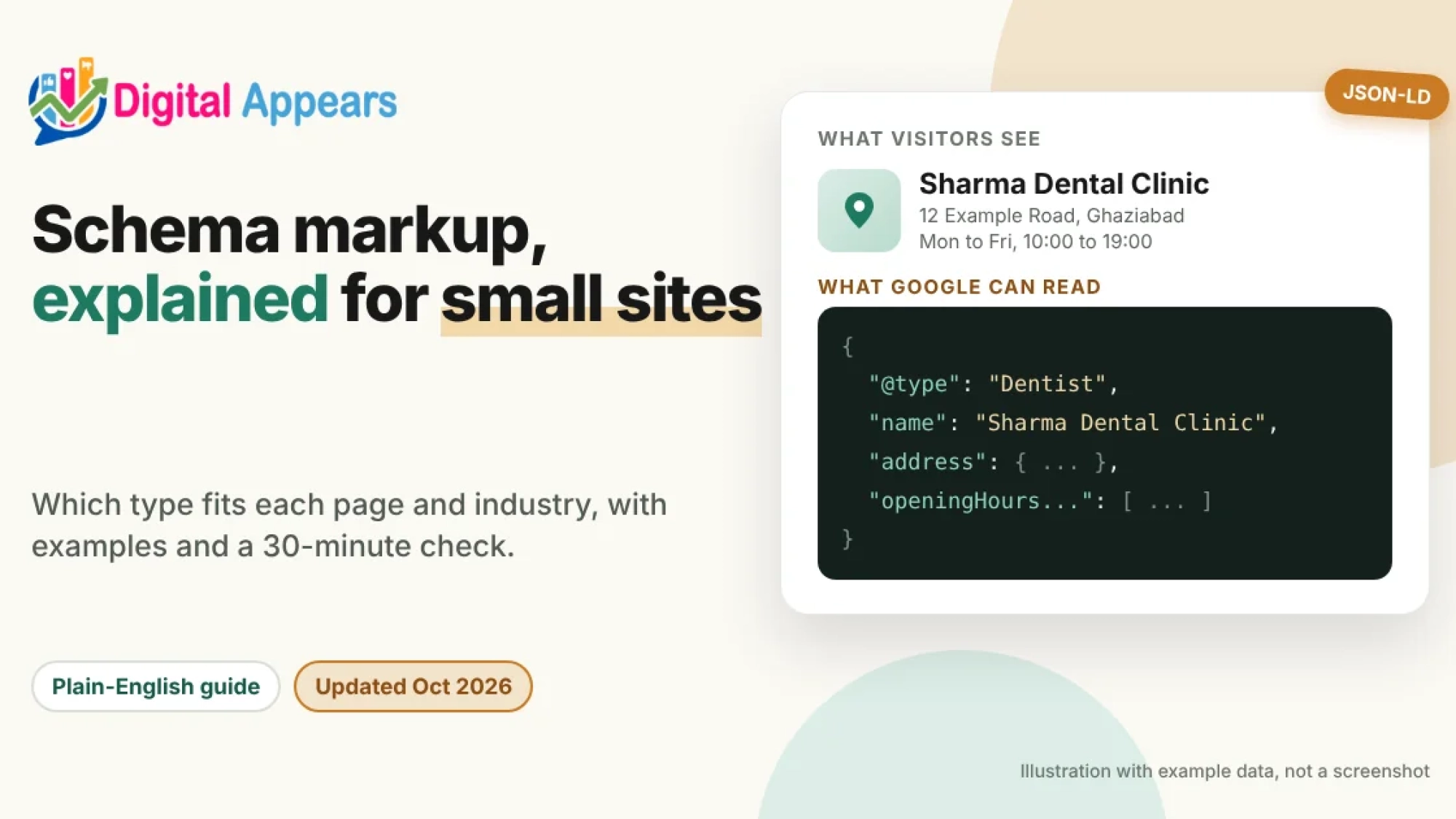
- Schema markup is a label you add to a page so search engines know what it is: a business, a product, an article, a person. Google recommends the JSON-LD format.
- Google uses it to understand the page and decide whether it's eligible for rich results. It doesn't promise you'll get them.
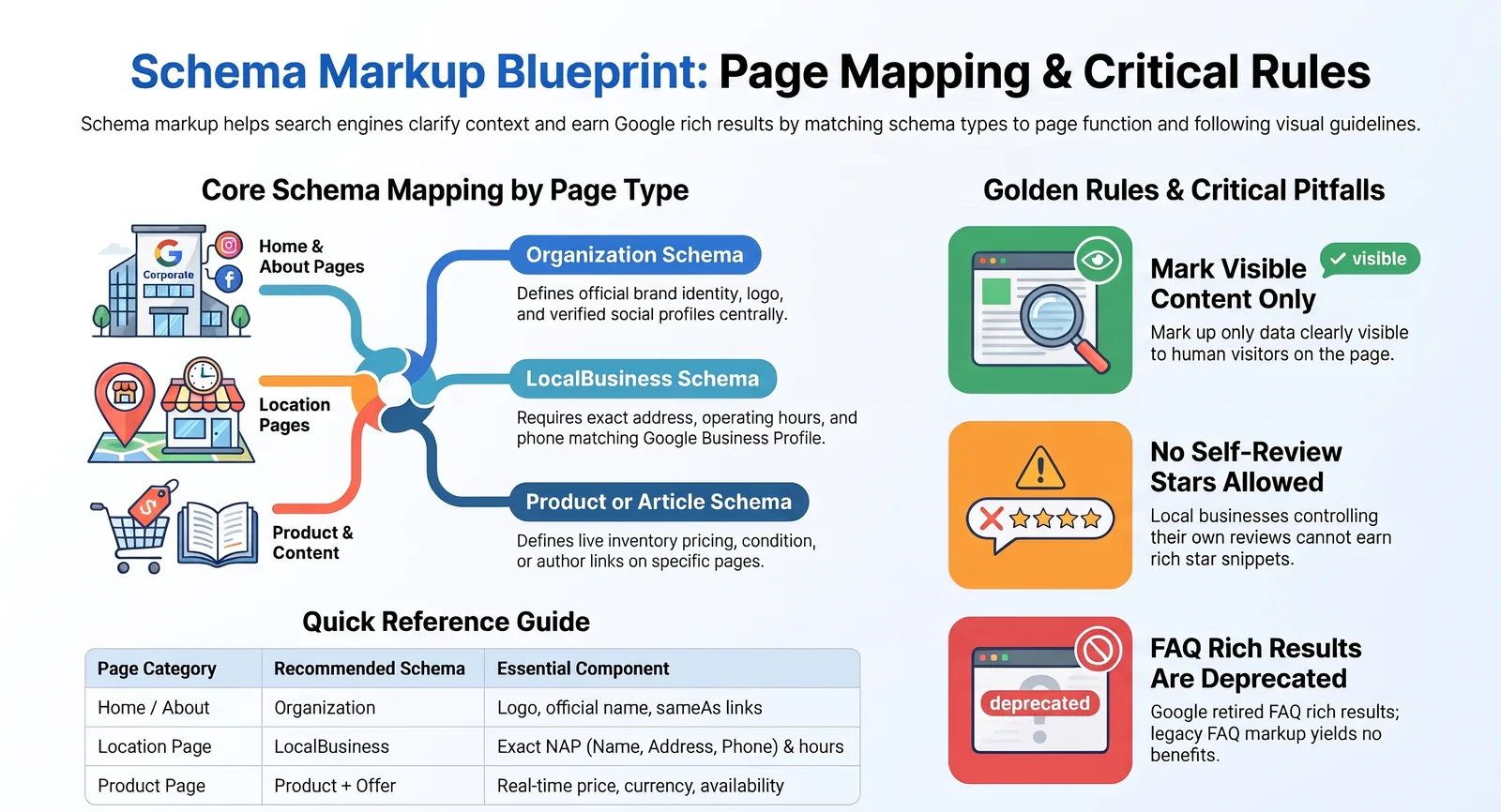
- Match the type to the page: Organization on the home or about page, LocalBusiness on a location page, Product on a product page, Article on a blog post, BreadcrumbList on inner pages.
- Google dropped the FAQ rich result on 7 May 2026, so markup that exists only for FAQ stars isn't worth chasing any more.
- The one rule that matters most: mark up only what a visitor can see on the page, and keep it true.
What schema markup is
A web page is written for people. Schema markup is a second layer written for machines. In a fixed vocabulary, it says things like "this page is about a dental clinic, here's its address and opening hours" or "this is a product, it costs this much and it's in stock".
The vocabulary comes from schema.org. The code that carries it is usually JSON-LD, a block of data inside a <script type="application/ld+json"> tag. Google supports three formats (JSON-LD, Microdata and RDFa) and says all three work if the markup is valid, but it recommends JSON-LD because it is the easiest to implement and maintain. It sits apart from the visible text, so you can edit it without touching the design.
Two things from Google's documentation to know before you add anything:
- Google's pages are the rulebook, not schema.org. Schema.org lists far more types and properties than Google actually uses. For Google Search, go by Google's Search Central documentation.
- Valid markup doesn't guarantee a rich result. Google decides per search whether to show one. Markup only makes the page eligible.
What Google supports today
Google's list of supported structured data features (the "search gallery") has 25 entries right now. I read it on 30 October 2026. These are the ones most small sites can use:
| Feature | For |
|---|---|
| Organization | Your business name, logo, contact details and profile links |
| Local business | Business details such as address, hours and phone |
| Product (product snippets and merchant listings) | Price, availability, ratings and shipping on product pages |
| Article | News, blog and sports articles: title, image, dates, author |
| Breadcrumb | The page's position in your site |
| Profile page | A page about one person or organization, such as an author page |
| Review snippet | Reviews and ratings, with strict rules |
| Event, Job posting, Recipe, Video, Software app, Course list | Pages built around those things |
The rest of the list covers Carousel, Dataset, Discussion forum, Education Q&A, Employer aggregate rating, Image metadata, Math solver, Movie, Q&A, Speakable, Subscription and paywalled content, and Vacation rental.
Two things have gone. Google stopped showing the FAQ rich result on 7 May 2026 and has since removed its documentation. Practice problems were also retired after a change announced in November 2025. If an old guide tells you to add FAQ schema to win extra space in search, it's out of date. HowTo and the old sitelinks search box aren't in the gallery either.
Does schema help in AI search?
Google's page on AI features in Search says a page just needs to be indexed and eligible to show with a snippet, with no extra technical requirements, and that you don't need new machine-readable files, AI text files or markup. I re-read it on 30 October 2026 and it says there is "no special schema.org structured data that you need to add", while still listing "making sure your structured data matches the visible text on the page" among the SEO fundamentals. A Google changelog note also says an llms.txt file isn't needed for Google Search and won't help or hurt visibility.
Outside research is mixed, so read it carefully. A review of ten studies by the Search Institute found that cited pages more often carry structured data, but that's correlation. It also reports an Ahrefs test (May 2026) that added JSON-LD to 1,885 pages and compared them with 4,000 control pages: citations in AI Mode changed by 2.4%, which the review calls statistically indistinguishable from zero. It's one vendor's test, so take it as a caution, not a verdict.
My take: add schema because it makes your pages clearer and can earn real rich results (breadcrumbs, product details, business information). Don't add it as an "AI trick". For the bigger picture, see how to get your site linked in Google AI Mode.
Which schema for which page
Put the markup on the page it describes. Google says not to create empty pages just to hold markup. Here's a practical map.
| Page | Use | Notes |
|---|---|---|
| Home page | Organization | Google recommends it on the home page or one page that describes your organization. You don't need it on every page. |
| About page | Organization (if not on home), ProfilePage for the founder | Use only if the page is mainly about one person. |
| Location or contact page | LocalBusiness (most specific subtype) | One block per real location. Name, address and phone must match your Business Profile. |
| Service page | Usually none specific | Google's list has no feature for service pages. Link the business with the right Organization or LocalBusiness data on its location page. Don't force Product onto services. |
| Product page | Product with an Offer | One product (or its variants) per page, with a real price shoppers can pay. |
| Category or collection page | BreadcrumbList only | Google's product guidance says to mark up product pages, not pages that list products. |
| Blog post | Article or BlogPosting, plus BreadcrumbList | Add author with a link to an author page. |
| Author page | ProfilePage with a Person | The page must be mainly about that one person. |
| Event, job, recipe, video page | Event, JobPosting, Recipe, VideoObject | Only when the page is truly about that thing, and the content is current. |
Six examples you can adapt
These examples use made-up businesses and example.com addresses. Replace every value with your own, don't copy them as they are, and don't add a field you can't fill with a true, visible fact.
1. Organization (home page)
Tells Google your official name, logo and profile links. Google lists no required properties here, only recommended ones. sameAs points to your real profiles elsewhere (LinkedIn, Facebook, X).
<script type="application/ld+json">
{
  "@context": "https://schema.org",
  "@type": "Organization",
  "@id": "https://www.example.com/#organization",
  "name": "Example Store",
  "url": "https://www.example.com/",
  "logo": "https://www.example.com/images/logo.png",
  "sameAs": [
    "https://www.linkedin.com/company/example-store",
    "https://www.facebook.com/examplestore"
  ]
}
</script>
2. LocalBusiness (location page)
Google requires an address and a name. Use the most specific subtype that fits (Dentist, Restaurant, Electrician and so on). If your business has several types, Google accepts an array. Opening hours must match what you show customers.
<script type="application/ld+json">
{
  "@context": "https://schema.org",
  "@type": "Dentist",
  "name": "Sharma Dental Clinic",
  "image": [
    "https://www.example.com/photos/clinic-1x1.jpg",
    "https://www.example.com/photos/clinic-4x3.jpg",
    "https://www.example.com/photos/clinic-16x9.jpg"
  ],
  "url": "https://www.example.com/ghaziabad/",
  "telephone": "+91-1200000000",
  "priceRange": "$$",
  "address": {
    "@type": "PostalAddress",
    "streetAddress": "12 Example Road",
    "addressLocality": "Ghaziabad",
    "addressRegion": "Uttar Pradesh",
    "postalCode": "201001",
    "addressCountry": "IN"
  },
  "geo": {
    "@type": "GeoCoordinates",
    "latitude": 28.66921,
    "longitude": 77.45375
  },
  "openingHoursSpecification": [
    {
      "@type": "OpeningHoursSpecification",
      "dayOfWeek": [
        "Monday",
        "Tuesday",
        "Wednesday",
        "Thursday",
        "Friday"
      ],
      "opens": "10:00",
      "closes": "19:00"
    },
    {
      "@type": "OpeningHoursSpecification",
      "dayOfWeek": "Saturday",
      "opens": "10:00",
      "closes": "14:00"
    }
  ]
}
</script>
Don't add star ratings for your own business. Google says that if a business controls the reviews about itself, including through an embedded Google or Facebook reviews widget, pages with LocalBusiness or Organization markup aren't eligible for review stars. Leave review and aggregateRating out unless you run a site that collects reviews about other businesses.
3. Product with an Offer (product page)
For a page where shoppers can buy, Google's merchant listing rules require name, image and an offers object with a price above zero and a priceCurrency. Availability, condition, brand and identifiers (SKU, GTIN) are recommended. Keep price and stock in step with the page, or the data is wrong the moment you change either.
<script type="application/ld+json">
{
  "@context": "https://schema.org/",
  "@type": "Product",
  "name": "Cotton Kurta, Blue",
  "image": [
    "https://www.example.com/photos/kurta-1x1.jpg",
    "https://www.example.com/photos/kurta-4x3.jpg",
    "https://www.example.com/photos/kurta-16x9.jpg"
  ],
  "description": "Regular-fit cotton kurta in blue, available in sizes S to XL.",
  "sku": "KURTA-BLU-M",
  "brand": {
    "@type": "Brand",
    "name": "Example Store"
  },
  "offers": {
    "@type": "Offer",
    "url": "https://www.example.com/cotton-kurta-blue/",
    "priceCurrency": "INR",
    "price": 1499,
    "itemCondition": "https://schema.org/NewCondition",
    "availability": "https://schema.org/InStock"
  }
}
</script>
If you sell online, submit a Merchant Center feed as well. Google says using both structured data and a feed maximizes eligibility and helps it verify your data. Store-wide policies (returns, shipping) belong under your Organization markup, not repeated on every product.
4. Article (blog post)
Google lists no required properties for Article, only recommended ones. List every author shown on the page as its own author entry, and keep name to the name only (no job title, no "posted by"). Add a link to the author's page with url.
<script type="application/ld+json">
{
  "@context": "https://schema.org",
  "@type": "BlogPosting",
  "headline": "How to Choose a Dentist in Ghaziabad",
  "image": [
    "https://www.example.com/photos/post-1x1.jpg",
    "https://www.example.com/photos/post-4x3.jpg",
    "https://www.example.com/photos/post-16x9.jpg"
  ],
  "datePublished": "2026-10-12T09:00:00+05:30",
  "dateModified": "2026-10-20T11:30:00+05:30",
  "author": [
    {
      "@type": "Person",
      "name": "Asha Sharma",
      "url": "https://www.example.com/author/asha-sharma/"
    }
  ],
  "publisher": {
    "@id": "https://www.example.com/#organization"
  }
}
</script>
5. BreadcrumbList (inner pages)
Breadcrumb markup needs at least two list items. Use the path a visitor would really take, not just the URL folders. You don't need an item for the home page or for the page itself.
<script type="application/ld+json">
{
  "@context": "https://schema.org",
  "@type": "BreadcrumbList",
  "itemListElement": [
    {
      "@type": "ListItem",
      "position": 1,
      "name": "Blog",
      "item": "https://www.example.com/blog/"
    },
    {
      "@type": "ListItem",
      "position": 2,
      "name": "Dental Care",
      "item": "https://www.example.com/blog/dental-care/"
    },
    {
      "@type": "ListItem",
      "position": 3,
      "name": "How to Choose a Dentist in Ghaziabad"
    }
  ]
}
</script>
6. ProfilePage (author page)
Google says a profile page must be mainly about a single person or organization connected to the site, such as an author page. mainEntity and the person's name are required. If you don't have a real photo, leave image out: Google says not to use a default icon or placeholder.
<script type="application/ld+json">
{
  "@context": "https://schema.org",
  "@type": "ProfilePage",
  "dateModified": "2026-10-20T11:30:00+05:30",
  "mainEntity": {
    "@type": "Person",
    "name": "Asha Sharma",
    "description": "Dentist and writer at Sharma Dental Clinic.",
    "sameAs": [
      "https://www.linkedin.com/in/example-asha-sharma"
    ]
  }
}
</script>
I checked my own author page for this post. It outputs Person and ProfilePage markup, with sameAs links to LinkedIn and Facebook. That fits with the author guidance in Google's October content guidance edits.
By industry
Local services
Plumbers, clinics, salons, schools, gyms. Use LocalBusiness with a specific subtype on each location page, plus Organization on the home page. Keep it identical to your Business Profile. See our local SEO services and the guide to ranking in Maps without a storefront.
Online stores
Product and Offer on every product page, BreadcrumbList on category and product pages, store-wide return and shipping policy under Organization, and a Merchant Center feed. See e-commerce SEO and the Shopify SEO toolkit.
Restaurants and cafes
Use Restaurant (or a more specific type) with address, cuisine, hours and price range. Google's restaurant carousel is limited to a small set of providers who apply for access.
Blogs, agencies and publishers
Use Article or BlogPosting, an author Person linked to a ProfilePage, and BreadcrumbList. Keep bylines honest.
Events, courses and jobs
Event, Course list and JobPosting each have their own Google guide with required fields and content policies. Keep dates and details current, because expired content stops showing.
Software and apps
Software app markup is for pages about an app. A normal marketing page for a SaaS product usually only needs Organization and Article or BreadcrumbList.
How to add it in WordPress
If you use a CMS such as WordPress or Shopify, Google says a plugin or the CMS's own settings are often the easiest route. This is how I do it with Rank Math and Elementor:
Set sitewide basics once
In Rank Math, fill in the business details under its Local SEO or Titles and Meta area: name, logo, phone, address, hours and social profile links. Menu names change between versions, so look for the section that asks "Person or Company". That gives you your Organization or LocalBusiness data.
Choose a default type for posts
Set the default schema type for posts to Article or BlogPosting, so every new post gets it without extra work.
Add page-specific types in the editor
In the post or page editor, open the Rank Math panel and go to its Schema tab. Add the type that fits that page, such as Product or Event, and fill in only the fields you can back up.
Avoid duplicates
Don't paste custom JSON-LD for the same thing a plugin already outputs. Two competing Article or Organization blocks can confuse tools and checks. If you add custom JSON-LD in an Elementor HTML widget, turn off the matching type in Rank Math for that page. Google can also read JSON-LD that is added with JavaScript, but Google advises that for product pages the markup should be in the initial HTML for best results. See our JavaScript SEO checklist.
How to test it
- Rich Results Test. Paste a page URL or code. It shows which Google features the markup is eligible for and flags errors.
- Schema Markup Validator at validator.schema.org. It checks syntax against schema.org without tying it to Google features.
- URL Inspection in Search Console. Confirms what Google actually sees on the live page and whether the page is accessible.
- Rich result status reports. After you deploy, watch these for new invalid items. Google says to check them after launching new templates, because a template change can silently break markup on many pages.
The Rich Results Test can pass markup that still breaks a quality guideline, like marking up content visitors can't see. Passing the tool isn't the same as being safe.
Mistakes that cost you
- Marking up content visitors can't see. Google's guideline is blunt: don't mark up information that isn't visible to the user, even if it's accurate.
- Marking up your own reviews as stars. See the callout above. It makes the page ineligible for review stars.
- Fake or paid-for reviews in markup. Reviews written for a benefit must be clearly disclosed, and Google says ratings must come directly from users.
- The wrong type for the page. Google's own examples of irrelevant markup include labelling woodworking instructions as recipes.
- Product markup on category pages. Product rich results support pages focused on one product or its variants, not "shoes in our shop".
- Stale data. A past
priceValidUntildate can stop a product listing from showing, and Google won't show rich results for time-sensitive content that is no longer relevant. - Blocking the page. Don't block structured data pages with robots.txt, noindex or logins. Google can't read what it can't reach.
- Setting and forgetting. A theme update can remove or break markup on every page.
What a structured data penalty is. Google says a structured data manual action means the page loses eligibility for rich results. It doesn't affect how the page ranks in web search. Spam policies still apply separately, so the risk is real, just different from a ranking drop.
A 30-minute schema check
This is my own checklist, not Google's. It fits alongside a full SEO audit.
Test five key pages
Run your home page, a service or location page, a product page (if you sell), a blog post and an author page through the Rich Results Test. Note every error and warning.
Read the markup next to the page
For each page, compare every value in the markup with what a visitor sees: name, address, phone, hours, price, author. Remove anything that doesn't match.
Check for duplicates
Open the page source and search for application/ld+json. If you find two blocks of the same type, one from a plugin and one from a custom widget, remove one.
Match your Business Profile
Compare the business name, address, phone and hours in your markup with your Google Business Profile, and fix any difference at the source.
Remove what you can't support
Delete self-collected review stars, fake ratings, empty fields and placeholder images. A few complete, accurate properties beat lots of weak ones, and that's what Google says too.
Check Search Console
Open the enhancement and rich result reports. Note any invalid items, retest after you fix them, then ask Google to validate.
FAQ
What is schema markup in simple words?
It's code that labels what a page is about so search engines can read it without guessing. It uses a shared vocabulary from schema.org, and Google recommends writing it as JSON-LD.
Is schema markup a ranking factor?
Google describes structured data as a way to help it understand a page and to make the page eligible for rich results. We found no Google statement that adding it lifts rankings, so don't expect it to. Its benefit is clearer understanding and, for some types, a richer search result.
Should I use JSON-LD, Microdata or RDFa?
Google says all three are fine when valid, and recommends JSON-LD for most sites because it is easier to implement and maintain.
Do I need schema to appear in Google AI Mode or AI Overviews?
Google's page on AI features says there are no extra requirements and no special markup needed. The page must be indexed and eligible to show a snippet. Schema is still useful for other reasons.
Should I remove FAQ schema from my site?
Google no longer shows the FAQ rich result, and it has removed the documentation. We found no Google statement that valid FAQ markup is harmful, so removal is optional. Our view: if the questions are visible on the page, leaving it does no harm. If it adds work to maintain, remove it.
Can I add review stars for my own business?
Not if you control the reviews about yourself. Google says pages with LocalBusiness or Organization markup are ineligible for review stars in that case, including when you embed a Google or Facebook reviews widget.
Should I use a plugin or write the code myself?
For most small sites a plugin such as Rank Math is enough and is less error-prone. Write custom JSON-LD only when you need a type the plugin doesn't offer, and then switch off the matching plugin output to avoid duplicates.
Not sure what your site's markup says?
We can check your schema against your pages and Business Profile, fix what's wrong and remove what's risky. See our SEO services.
Ask for a schema checkSources
- Google Search Central: Introduction to structured data markup in Google Search
- Google Search Central: General structured data guidelines
- Google Search Central: Structured data markup that Google Search supports
- Google Search Central: Organization structured data
- Google Search Central: Local business structured data
- Google Search Central: Merchant listing (Product, Offer) structured data
- Google Search Central: Article structured data
- Google Search Central: Breadcrumb structured data
- Google Search Central: Profile page structured data
- Google Search Central: Review snippet structured data
- Google Search Central: Documentation updates (FAQ rich result removal)
- Google Search Central: AI features and your website
- Search Institute: What Makes a Website More Likely to Be Cited by Google AI Mode?
- Schema.org