
Bottom line
Search engine optimization in 2026 means setting up your site structure, content and technical signals so search engines and AI tools can crawl your pages, understand them and cite them when people search with real intent. This guide covers the whole map. Where I've already written a full deep-dive, I link to it instead of repeating myself.
On this page
- Chapter 1: How Modern Search Engines Work
- Chapter 2: Search Intent & Semantic Keyword Architecture
- Chapter 3: On-Page Optimization & Content Engineering
- Chapter 4: Technical Foundations, Speed & Crawlability
- Chapter 5: Structured Data & Schema Markup
- Chapter 6: Generative Engine Optimization (GEO) & AI Search
- Chapter 7: Measurement & Your First 90 Days
- Chapter 8: FAQ
1. How Search Works: Crawling, Indexing and Ranking
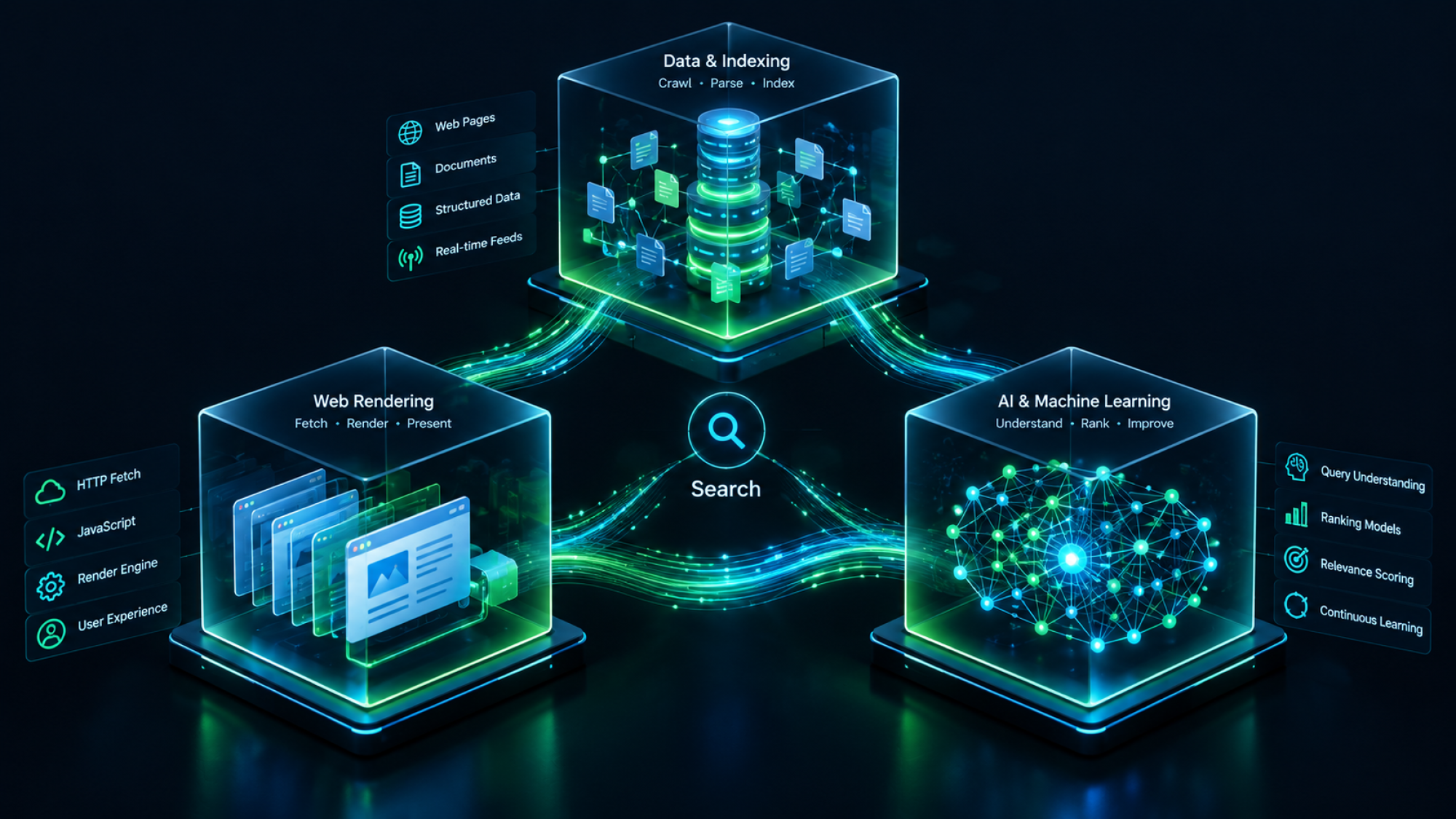
Every page you publish has to get through three gates before it can rank: a bot has to find it, a system has to decide it's worth storing, and an algorithm has to decide it deserves to beat everyone else for a given query. Miss one and the other two never get a chance to matter.
Crawling: How Search Bots Discover Your Pages
Crawling is a bot following links to find out which pages exist on your site. Googlebot does it for classic search, and a separate set of bots does it for AI systems. Crawl budget is the limited attention a bot gives your domain. Keep your navigation clean from day one, because a confusing link structure burns that budget on pages nobody needs indexed instead of the ones that matter.
Indexing and Rendering
Indexing is Google deciding a crawled page is worth storing and showing in results. It depends on what's in the page's HTML, not on what a browser eventually renders. The pitfall almost every beginner hits: content that only appears after JavaScript runs may never make it into the raw HTML a crawler reads first, and a growing share of AI crawlers never run JavaScript at all. Check your own indexing with a site:yourdomain.com search and Google Search Console's coverage report, not just by looking at the page in your browser.
Ranking: How Google Decides Who Wins
Ranking used to be about matching query words to page text. Google moved past that years ago. It now resolves both into entities, concepts with defined relationships in its Knowledge Graph, and then decides who's most credible on a topic. Two terms worth knowing by name, since beginners search for them: E-E-A-T (Experience, Expertise, Authoritativeness, Trust) is the framework Google's quality raters use to judge whether a source deserves trust. And mobile-first indexing means Google mostly uses the mobile version of your site for indexing and ranking, so a page that looks fine on desktop but breaks on mobile is judged on the broken version.
2. Keyword Research: From Strings to Topics
Keyword research in 2026 is really topic mapping. Instead of hunting for the one phrase with the most volume, work out which concepts a topic needs and which page format each one deserves.
The 4 Types of Search Intent
Every query falls into one of four intents, and matching the wrong page format to the wrong intent is the most common reason a well-written page never ranks. Informational queries want an answer, so a blog post or guide fits. Commercial queries want comparison, so use a comparison or "best of" page. Transactional queries want to buy, so use a product or service page. Navigational queries want a specific destination, and you generally can't compete for those apart from your own brand terms.
Grouping Keywords by Topic
Semantic clustering means grouping a main term with its secondary and long-tail variations on one thorough page, instead of writing a separate thin page for every small variation. A page targeting "how to reduce cart abandonment" should naturally cover "cart abandonment rate", "cart recovery emails" and "checkout drop-off", rather than becoming four posts that compete with each other.
Add Something New: Information Gain
Information gain is how much your page adds beyond what the reader has already seen elsewhere. It's what decides whether Google's helpful content systems treat your page as worth ranking or as one more copy of the same ten articles. Repeating what already ranks gets you ignored. A named framework, an original benchmark or a documented failure doesn't.
3. On-Page SEO: Structuring Pages for Humans and Machines
Good on-page structure lets a human skimmer and a parsing algorithm get the same meaning from your page without either having to work for it.
Headings and Page Structure
Use exactly one H1 per page, nest H2s and H3s in logical order without skipping levels, and use real HTML tables for anything comparative instead of faking a table with spaced-out text. This isn't a style preference. Skipped heading levels and fake tables genuinely confuse how a machine reads your page.
Writing Title Tags and Meta Descriptions That Get Clicks
Keep a title tag under 60 characters and a meta description under 155, so Google doesn't cut them off mid-sentence. The formula that works without sounding like spam: lead with the specific outcome, not the generic topic. "Fix Cart Abandonment: 6 Checkout Changes That Worked" beats "Cart Abandonment Guide" every time.
Internal Linking
Internal links tell crawlers and readers which pages relate to which. Contextual links with descriptive anchor text inside a deliberate silo structure pass far more signal than a generic "click here" ever will. I go deep on pillar, cluster and silo architecture in a separate guide, since it's its own topic. At real scale, this same logic is what a programmatic SEO system enforces across hundreds of pages at once, rather than by hand on each one.
4. Technical Foundations: Speed, Crawlability, and Health
Technical health is the floor everything else stands on. A fast, crawlable, duplicate-free site doesn't guarantee rankings, but a slow, confusing, duplicate-riddled one guarantees you're fighting with one hand tied.
Core Web Vitals, the three real-user metrics for loading speed, responsiveness and visual stability, are still an active ranking signal and a direct driver of mobile bounce rate. I've written the full breakdown, with thresholds, diagnostics and fixes for Shopify, WordPress and headless stacks, in my dedicated Core Web Vitals guide, so I won't repeat it here.
The two things worth knowing at beginner level: a self-referential canonical tag on every page stops duplicate content splitting your ranking signals across near-identical URLs, and a clean robots.txt should guide crawlers without accidentally blocking pages you want indexed. Add flat, readable URL slugs, /seo-for-beginners/ rather than /2026/03/blog/cat?id=45, and an up-to-date XML sitemap, and you've covered the technical floor.
Running Shopify and fighting canonical loops or crawl traps from theme bloat? My Shopify Technical SEO Launch & Audit OS is built for exactly that.
5. Schema Markup: Labelling Your Pages with JSON-LD
Structured data is a standard vocabulary, with JSON-LD as the format Google prefers, that turns your page's raw text into explicit, machine-readable facts instead of prose a parser has to guess at.
Which Schema Types You Need
Every site benefits from Organization and WebSite schema saying who you are, and Article or TechArticle schema on content pages giving authorship and publication data. Product and Review schema still earn real rich results on commerce pages and are worth adding if you sell anything. One correction, because a lot of guides still teach this wrong: FAQPage schema is still valid markup for a genuine FAQ page like this one's Chapter 8, but as of May 2026 Google removed FAQ rich results from search for every site, including the government and health sites that used to be exempt. Don't add FAQ schema expecting a boost in search results. Use it where you have real FAQ content, for the benefit of AI systems parsing your page, not as a rankings trick.
A Schema Code Example You Can Copy
Here's a clean starting template for Organization schema. Swap in your own details before dropping it into your site's header:
<script type="application/ld+json">
{
  "@context": "https://schema.org",
  "@type": "Organization",
  "name": "Your Company Name",
  "url": "https://yourdomain.com",
  "logo": "https://yourdomain.com/logo.png"
}
</script>
6. Preparing for the AI Era: Google AI Overviews, ChatGPT Search & Perplexity
Generative Engine Optimization (GEO) means structuring your content and entity data so AI answer engines can extract, verify and cite it. They use retrieval-augmented generation to pull from your pages when they assemble an answer, rather than showing a ranked list of links.
The core technique worth knowing at beginner level is the BLUF framework, Bottom Line Up Front: put a direct, standalone 40 to 50 word answer at the very start of a section instead of building up to it, because that's the shape a retrieval system can extract cleanly. And start tracking citation share alongside your rankings, meaning how often your brand actually gets named in an AI-generated answer. That's becoming the new version of holding the number one spot.
We built a full operational system for this, a 25-point readiness audit, schema templates, and a citation-testing swipe file, in our GEO & AI Citation OS, if you want to go past the concept and into execution.
7. Tracking Success: Free Tools and a 90-Day Execution Plan
Setting Up Your Essential Search Tech Stack
Three tools cover most of what a beginner needs: Google Search Console as your source of truth on indexing, Google Analytics 4 for measuring real conversions instead of raw sessions, and the free tiers of Screaming Frog and PageSpeed Insights for crawl and speed checks. You don't need to pay for anything to get started properly.
The 90-Day SEO Action Plan for Beginners
A realistic first 90 days breaks into three phases, each building on the last, so you're not trying to do everything at once.
- Month 1: Technical hygiene. Set up Search Console and GA4 properly, submit a clean XML sitemap, fix any indexation blockers, and identify your first five pillar topics.
- Month 2: Content expansion. Build out cluster content under those pillars, establish your internal linking silos, and deploy your core Organization and Article schema.
- Month 3: Performance and iteration. Tune Core Web Vitals on your highest-traffic templates, start tracking actual ranking movement, and update the content that's closest to breaking into page one.
Frequently Asked Questions About Starting SEO
Technical fixes can show early movement within 4 to 8 weeks. Meaningful ranking and traffic growth on new content typically takes 3 to 6 months, and compounds from there as your site accumulates topical authority. Anyone promising faster is selling something.
No, but the target moved. Classic blue-link SEO still matters for the queries Google hasn't turned into a direct answer, and a whole new discipline, GEO, exists specifically because AI answer engines need to be optimized for separately. The skill that transfers between both is the same one this guide is built around: structure, entities, and information gain.
No. Google Search Console, GA4, and the free tiers of Screaming Frog and PageSpeed Insights cover everything a beginner needs for the first several months. Paid tools become genuinely useful once you're managing keyword research and competitive analysis at a scale the free tools can't handle.
Yes, for most of the fundamentals covered in this guide. Where it gets harder to DIY is deep technical work, JavaScript rendering issues, complex schema architecture, or a full Core Web Vitals remediation across dozens of templates, which is usually where it makes sense to bring in a practitioner rather than losing weeks to trial and error.
Written by:
Shishir Goel is the founder of Digital Appears, where he does hands-on technical SEO, GEO and site structure work for businesses.
Want help applying this to your own site? Have a look at my digital products and toolkits, or book a one-to-one strategy call with me.
Related reading