
Last updated: 9 October 2026 · Checked against Google's GA4 help pages
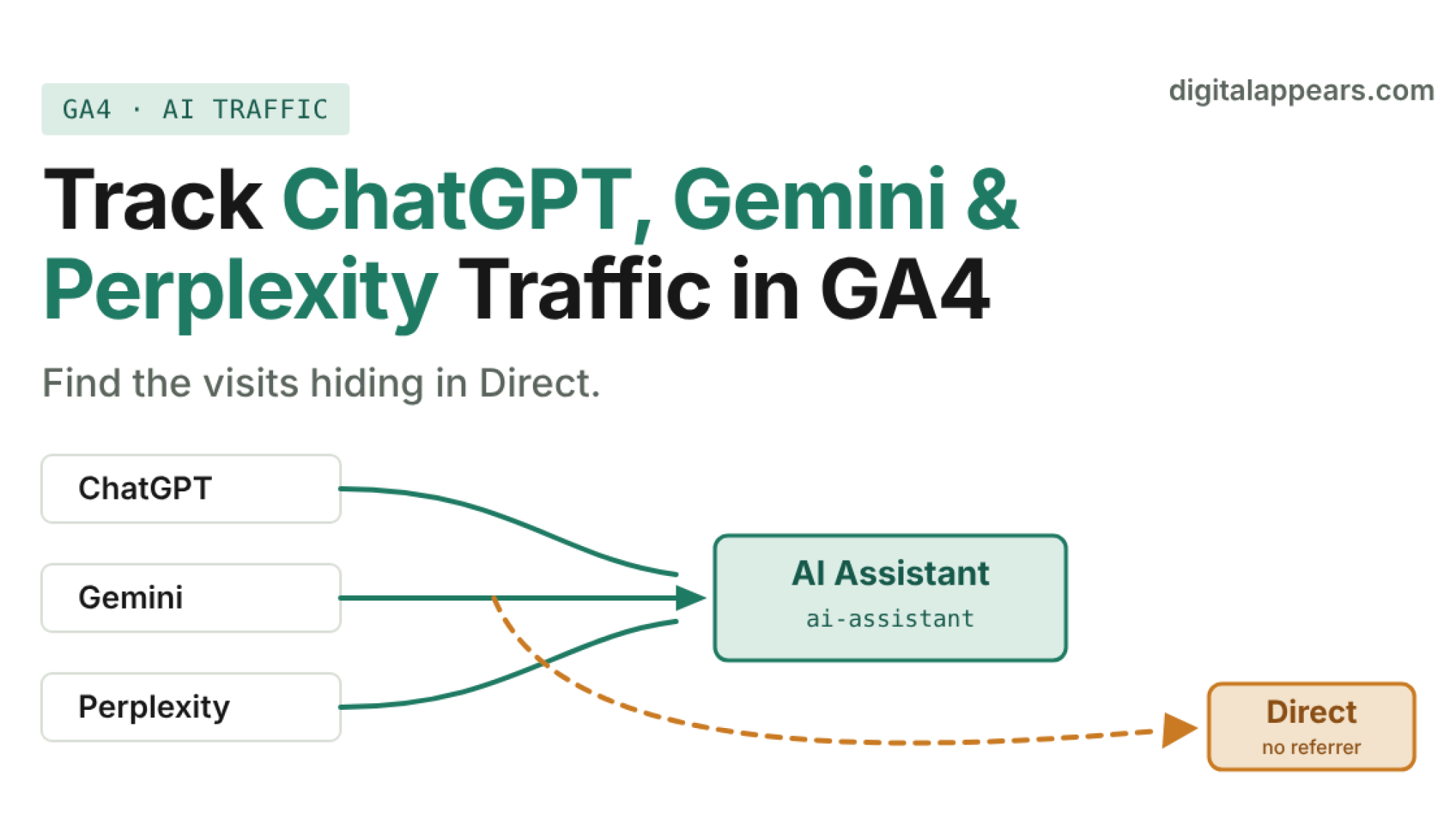
- GA4's default channel group now has an AI Assistant channel (medium
ai-assistant) covering sources like ChatGPT, Gemini, DeepSeek, Copilot and Grok. Check it first. - It is not complete. Google only gives examples, so build a custom channel group with a regex to catch Perplexity, Claude and anything else you see in your data.
- Gemini recently started adding UTM parameters to some outgoing links. Google hasn't documented it, so check your own reports before relying on it.
- Many AI visits arrive with no referrer and land in Direct. Treat every AI traffic number as a minimum, not a total.
- Clicks from Google AI Overviews and AI Mode are not in the AI Assistant channel. They count as Organic Search.
Why AI traffic is hard to see
When someone clicks a link in a ChatGPT, Gemini or Perplexity answer, GA4 can only classify the visit if it knows where it came from. It learns that from two things: the referrer (the site the browser says the visitor came from) and UTM parameters (tags added to the link). AI tools are inconsistent on both.
When neither one arrives, GA4 has no clue and the visit becomes Direct. GA4 defines Direct as visitors arriving "via a saved link or by entering your URL." So a real AI referral can sit in the same bucket as people typing your address. That's why AI traffic often looks smaller than it is, and why a sudden jump on one platform can be a reporting change rather than real growth.
What each platform sends
This table shows what's commonly observed, not guarantees. Behavior changes often and differs between desktop, mobile app and in-app browsers.
| Platform | Referrer domain you may see | UTM tagging | Reliability |
|---|---|---|---|
| ChatGPT | chatgpt.com, chat.openai.com | Commonly adds utm_source=chatgpt.com on some links, not all | Best of the group, but not complete |
| Perplexity | perplexity.ai | No consistent UTMs reported | Web usually passes a referrer. The mobile app often strips it. |
| Gemini | gemini.google.com | Started adding UTMs to some links around 1 Oct 2026. Undocumented. | Mixed, especially on mobile and Android |
| Claude | claude.ai | No UTMs reported | Depends on the referrer arriving |
| Copilot | copilot.microsoft.com | Inconsistent | Mixed |
| Google AI Overviews and AI Mode | Google Search | None | Counted as Organic Search, not AI Assistant |
Only the last row and the AI Assistant definition come from Google. The rest are industry observations, so confirm them against your own Traffic acquisition report.
Step-by-step setup in GA4
- Check what GA4 already catches. Go to Reports, then Acquisition, then Traffic acquisition. Set the primary dimension to Session default channel group and look for AI Assistant. Per Google's default channel group help, this channel matches when the medium is exactly
ai-assistant, and GA4 sets that medium when the referrer matches its list of AI assistants. If you see it, you already have a starting number. - List every AI-looking source in your own data. Change the primary dimension to Session source / medium and scan for names like chatgpt, perplexity, gemini, claude, copilot, deepseek and grok. Google gives only example sources and no complete list, so your own data is the only reliable check. Write down every variant you find, including ones sitting under
referral. - Build a custom channel group. In Admin, open Data display, then Channel groups, and copy the default group. Add a new channel called AI Search, with a condition on Source that uses matches regex. Use the pattern below and extend it with anything you found in step 2. You need Editor access or higher on the property. Custom channel groups can be applied to past data, so you don't lose history. Standard properties can have 2 custom groups.
- Put the new channel above Referral and Direct. GA4 assigns traffic to the first channel whose rule it matches, so order matters. If your AI channel sits below Referral, those sessions get taken first. See Google's custom channel groups help for the full steps.
- Find which pages AI sends people to. Open Explore, create a Free form report, and add Landing page, Session source, Device category and Country as dimensions. Add Sessions, Engaged sessions and Key events as metrics, then filter on your AI channel. This shows which content gets cited and clicked.
- Check Direct for hidden AI visits. Filter Direct traffic to deep landing pages, such as a blog post nobody would type by hand. A long article URL arriving as Direct is a strong hint that the visitor clicked a link from somewhere that stripped the referrer. You can't recover these visits, but you can note the pattern.
- Compare against server logs if you can. If you have access to your hosting or CDN logs, check for requests with an AI domain as the referrer or a
utm_sourcein the query string. Logs don't depend on the GA4 tag loading, so they often show more than GA4 does.
Starter regex for the custom channel
This is a starting point built from the platforms above, not an official list. Test it against your own source values before saving, and check that it doesn't catch unrelated sites. For example, "gemini" would also match any other source that contains that word.
The Gemini UTM change: what is and isn't known
Around 1 October 2026, a Reddit user noticed that Gemini had begun adding UTM parameters to some outgoing links. Google's John Mueller replied that he saw it too. Search Engine Journal covered it, and noted that Google's implementation is undocumented.
I'm not going to give you the exact UTM values Gemini uses, because no reliable source reports them and a guess could send you building a rule around the wrong value. Check your own Traffic acquisition report, look for new Gemini-related source values that appeared in early October, and write the rule from what you actually see.
Two things follow from this. First, nobody knows which links get tagged. It may only apply to answers grounded in web results, but that's a guess. Second, tagged visits will move out of Direct, so a rise in Gemini sessions may be partly a measurement shift. Compare against your Direct traffic before you call it growth.
How to read the numbers without fooling yourself
- Treat your total as a floor. Many AI visits arrive with no referrer and fall into Direct. Estimates of how many vary widely, and no GA4 rule recovers them.
- Don't over-read small numbers. If AI sends 40 sessions a month, a swing of 10 isn't a trend. Look at 8 to 12 weeks.
- Look at quality, not just volume. Compare engagement rate, time and key events for AI visitors against organic. Visitors arriving from an AI answer have often already read a summary, so they may behave differently.
- Keep AI Overviews separate. Clicks from Google's AI features are classified as Organic Search. To judge those, use Search Console, not the AI Assistant channel.
- Watch for bot and test traffic. Check for odd spikes from a single country, device or page before you report an AI win.
- Report the method, not just the number. When you share this with a client, say how AI traffic was identified and that it's a minimum. It prevents arguments later.
Getting cited in the first place is a separate job. See our guide to optimizing content for Google AI Overviews, and our thinking on zero-click answers vs deep content. If you want a structured way to improve AI citations, the GEO & AI Citation OS covers the on-page side.
FAQ
Does GA4 track ChatGPT traffic automatically?
Partly. GA4's default channel group includes an AI Assistant channel for visits whose referrer matches its list of AI assistants, with sources such as ChatGPT, Gemini, DeepSeek, Copilot and Grok. Visits that arrive without a referrer still count as Direct, so the channel undercounts.
How do I track Perplexity traffic in GA4?
Look for perplexity.ai in your Session source / medium report, then include it in a custom channel group with a regex. Perplexity's web version usually passes a referrer, but its mobile app often strips it, so some visits will land in Direct.
Can I track Gemini traffic with UTM parameters?
Possibly. Gemini began adding UTM parameters to some outgoing links around 1 October 2026, but Google has not documented it and the exact values are not reliably reported. Check your own GA4 data to see what arrives, and build your rule from that.
Are Google AI Overviews and AI Mode clicks counted as AI traffic in GA4?
No. Google's definition of the AI Assistant channel excludes AI Overviews and AI Mode. Those clicks are counted as Organic Search.
Will a custom channel group change my historical data?
Reports using the custom channel group can be applied to past data, so you can see AI traffic for earlier months. You need Editor access or above on the property to create one, and standard properties are limited to 2 custom groups.
Why is so much AI traffic showing as Direct?
When an AI tool, app or in-app browser strips the referrer and adds no UTM tag, GA4 has no source to record and classifies the visit as Direct. This is a limit of the data, not a GA4 setting you can switch off.
Want AI traffic set up properly in your analytics?
We can audit your GA4, build the AI channel, and show you which pages AI engines actually send people to.
Book an Analytics ReviewSources
- Google Analytics Help: Default channel group
- Google Analytics Help: Custom channel groups
- Search Engine Journal: Google Gemini Adds UTM Parameters For Referral Attribution
- IndexLab: Gemini now adds UTM parameters to outbound links, and Google has not documented when
- AuthorityTech: How to Track ChatGPT, Perplexity and Gemini Traffic in GA4 (platform referrer observations)