
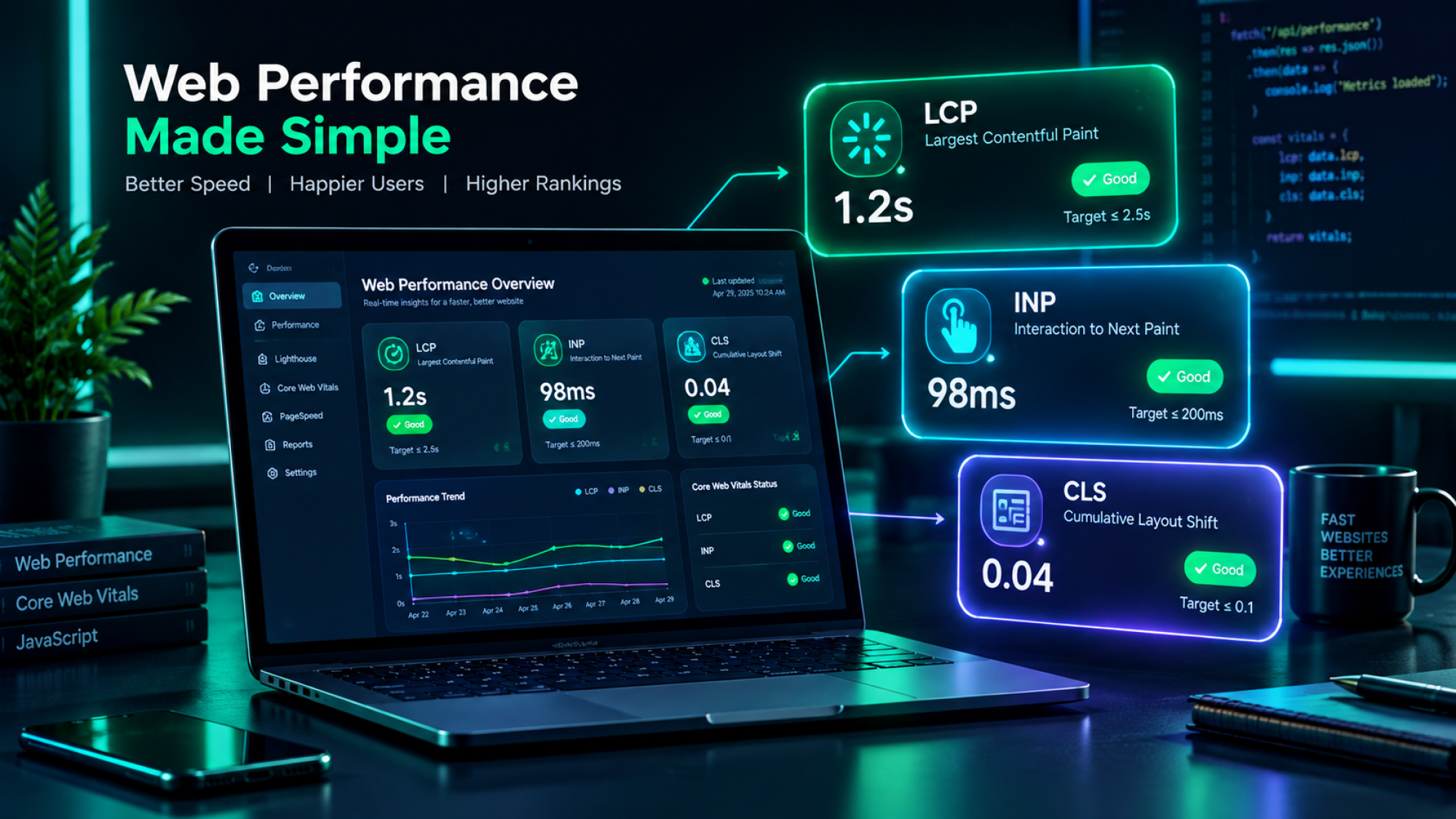
Core Web Vitals are Google's field-measured performance metrics. They score real-world loading speed (LCP), responsiveness (INP) and visual stability (CLS) at the 75th percentile of actual Chrome traffic. This is the triage workflow and the platform-specific fixes I actually use, not another "compress your images" listicle.
Key takeaways
- Thresholds haven't moved: LCP under 2.5s, INP under 200ms, CLS under 0.1, still measured at the 75th percentile over a rolling 28-day window.
- Two of the "advanced" fixes people recommend, the Long Animation Frames API and the Speculation Rules API, only work in Chrome and Edge. Neither is supported in Firefox or Safari, and LoAF isn't even a finished spec yet.
- Fix templates, not pages. A single product template fix on Shopify or WooCommerce touches every product in your catalog at once.
- Field data (CrUX) is what Google actually scores you on. Lab data (Lighthouse) is just how you find the problem before the real users do.
On this page
- What Core Web Vitals Are and Why They Still Matter
- 2026 Thresholds at a Glance
- Diagnostic Architecture: Field vs. Lab Data
- LCP: Breakdown, Diagnostics, and Fixes
- INP: Responsiveness and Long Tasks
- CLS: Layout Jumps and Stability Fixes
- Triage: What to Fix First
- Platform-Specific Playbooks
- FAQ
- The Modern Web Performance Standard
What Are Core Web Vitals, and Why Do They Still Matter?
Core Web Vitals are a page-experience signal in Google's ranking systems. They act as a tie-breaker between otherwise similar pages, and they directly shape mobile bounce rate and conversions. Content quality still does the heavy lifting. But in a competitive commercial result set, a page that loads cleanly and responds instantly beats an identical page that doesn't, and the gap widens once you factor in what it does to your conversion rate.
Quick refresher on the three metrics, since they're easy to mix up under pressure:
- LCP (Largest Contentful Paint). How fast the main content of the viewport actually renders, not just when the page technically starts loading.
- INP (Interaction to Next Paint). How responsive the whole session feels, measured across every click, tap, and keypress, not just the first one.
- CLS (Cumulative Layout Shift). How much stuff jumps around while the page loads or updates.
There's a newer reason to care beyond classic ranking. AI search engines and answer systems that use retrieval-augmented generation favor documents that load fast and stay stable, because a page that's still shifting or half-rendered when a crawler grabs it gives messier, less reliable chunks to extract from. Slow, unstable pages now get penalized twice: once by Google's ranking systems and once by whatever decides whether you're worth citing.
2026 Core Web Vitals Thresholds: LCP, INP, and CLS at a Glance
All three metrics are evaluated at the 75th percentile of real user visits over a rolling 28-day window from the Chrome User Experience Report. That means 75% of your actual traffic has to pass before a template group is rated "Good." A handful of fast test runs in your local DevTools tells you nothing about whether real people on real connections are clearing that bar.
LCP
INP
CLS
| Metric | Good (Passing) | Needs Improvement | Poor | Primary Root Cause |
|---|---|---|---|---|
| LCP | ≤ 2.5 seconds | 2.5s – 4.0s | > 4.0 seconds | High TTFB, render-blocking assets, lazy-loaded heroes |
| INP | ≤ 200 milliseconds | 200ms – 500ms | > 500 milliseconds | Long tasks, excessive third-party scripts, unoptimized event handlers |
| CLS | ≤ 0.1 | 0.1 – 0.25 | > 0.25 | Unsized media/embeds, dynamic DOM injection, font FOUT/FOIT |
Field vs. Lab Data: How to Measure and Debug
Lab data simulates page performance in a single controlled environment. Field data captures how the page actually performed for real visitors across every device, network and location. They're not two flavors of the same measurement. They answer different questions, and mixing them up is how teams end up "fixing" something Lighthouse flagged while their real CrUX numbers don't move at all.
Lab data (Lighthouse, DevTools)
One simulated run, on a fixed device profile and throttled connection. Great for reproducing a bug and testing a fix before you ship it. Bad at predicting what your actual traffic experiences.
Field data (CrUX, Search Console)
Aggregated from real Chrome users over a rolling 28-day window. This is what Google actually scores you on. Slower to update, but it's the number that matters.
The diagnostic stack I use, in order:
- Search Console's Core Web Vitals report. It groups URLs by template, not by individual page, so you can see whether it's your product pages or your blog dragging you down.
- PageSpeed Insights. It combines your real field data with a lab audit in one place, which is useful for confirming a specific page's field score before you dig into why.
- Chrome DevTools and the Long Animation Frames API. This is the tool for finding the exact script responsible for a slow INP, down to the file and duration. One important caveat that most write-ups skip: LoAF only works in Chrome and Edge, it's unsupported in Firefox and Safari, and as of April 2026 it's still just a W3C First Public Working Draft, not a finished standard. Use it to debug locally in Chrome, but don't build your only monitoring pipeline around it if a meaningful share of your visitors are on Safari or Firefox.
LCP (Largest Contentful Paint): What Slows It Down and How to Fix It
The 4 Parts of LCP
LCP breaks down into four sequential phases, and knowing which one is slow tells you exactly what to fix instead of guessing.
What Usually Causes Poor LCP
- Uncompressed or desktop-sized images served to mobile viewports
- Render-blocking CSS and JS, and external stylesheet imports sitting in
<head> loading="lazy"applied to the above-the-fold hero image, which actively delays the one image you needed first- Slow origin hosting with no edge-cached dynamic HTML generation
Prioritized Technical Fixes for LCP
- Optimize the LCP candidate. Serve responsive WebP or AVIF through
<picture>with a cleansrcset, and setfetchpriority="high"explicitly on the hero element. - Try the Speculation Rules API for predictable navigation paths. A native
<script type="speculationrules">block lets the browser prerender a likely next page before the user clicks, so LCP on that next page feels instant. Same caveat as LoAF: this is a Chromium-only API right now, treat it as a progressive enhancement for Chrome and Edge traffic, not your primary LCP strategy. - Preload critical assets.
<link rel="preload" as="image" href="..." fetchpriority="high">in the raw server-rendered head, not injected later by JavaScript. - Eliminate render-blocking CSS. Inline the critical above-the-fold CSS, defer or async-load everything else, vendor scripts included.
If you're on Shopify, this is exactly the terrain our Shopify Technical SEO Launch & Audit OS walks through with copy-paste Liquid snippets for hero image priority and render-blocking cleanup.
INP (Interaction to Next Paint): Responsiveness and Long Tasks
The 3 Phases of an Interaction
Every interaction breaks into three phases, and a slow INP score is telling you which one is eating the time.
1. Input Delay
Waiting on existing main-thread work to finish before your click even gets acknowledged
2. Processing Time
How long the JavaScript callback actually takes to run
3. Presentation Delay
Browser recalculating layout, restyling, and painting the next frame
What Usually Causes High INP
- Long tasks over 50ms monopolizing the main thread
- Heavy third-party analytics, marketing pixels, and chat widgets running their own event listeners in the background
- Hydration mismatches and large React or Next.js component re-renders firing on something as simple as a click, the same failure mode we cover in our piece on JavaScript SEO and hydration diagnostics
Prioritized Technical Fixes for INP
- Yield to the main thread. Break up monolithic JS loops with
scheduler.yield()where it's supported, falling back tosetTimeout()where it isn't. - Debounce and throttle input events. Search-as-you-type, resize handlers, and form validation should not fire a fresh execution frame on every single keystroke.
- Audit and isolate third-party scripts. Load non-critical widgets like chat and heatmaps only after the user actually interacts with the page, or move them to a Web Worker with something like Partytown.
- Debug with the LoAF API, in Chrome. Record and eliminate scripts crossing the 50ms threshold, keeping in mind this only shows you the Chrome and Edge half of your traffic.
CLS (Cumulative Layout Shift): Stopping Layout Jumps
How CLS Is Calculated, and Why Layout Jumps Cost You Trust
Cumulative Layout Shift sums every unexpected shift across a page's lifecycle, each weighted by how much of the viewport moved and how far. The number is abstract, but the effect isn't. It's the mis-click on the wrong button, the abandoned checkout because the "Buy Now" button jumped just as someone tapped it, and the quiet loss of trust from a page that feels like it's fighting you.
What Usually Causes Layout Jumps
- Images, videos, or iframes with no explicit
width/heightor CSSaspect-ratio - Cookie banners, notification bars, and promo popups that inject themselves into the layout after the page has already settled
- Web fonts causing a flash of invisible or unstyled text that reflows the line breaks once the real font loads
Prioritized Technical Fixes for CLS
- Reserve explicit space. Always declare
width/heightoraspect-ratio: 16 / 9;on media and dynamic ad slots. - Use modern font metric overrides.
@font-facedescriptors likesize-adjust,ascent-override, anddescent-overridelet a fallback font match your custom typeface's dimensions almost exactly, so nothing reflows once the real font arrives. - Stop modals from causing horizontal snapping.
scrollbar-gutter: stable;reserves the scrollbar's space up front so the page doesn't jump sideways when a full-screen drawer opens and the scrollbar disappears.
Before: unallocated ad slot
Ad script loads late, container has no reserved height, and everything below it, including your CTA, gets shoved down the page mid-scroll.
After: pre-allocated container
The container has a fixed min-height from the first paint. When the ad loads, it fills a space that was already there. Nothing moves.
What to Fix First
Fix by field severity, not by whichever metric feels most urgent in the moment: pull your CrUX data from Search Console and start with the metric that has the highest share of URLs in "Poor."
- Filter by field severity. The metric with the most "Poor" URLs gets worked first, no exceptions.
- Fix at the template level, never page by page. Work in this order: product and collection templates first, since they carry the most traffic and revenue risk, then global header, navigation and footer elements, then core commercial landing pages and content hubs.
- Re-measure on the real timeline. Confirm the fix locally right away, then wait out the rolling 28-day CrUX window in Search Console before you call it verified. A good Lighthouse score on the day you shipped means nothing until the field data agrees.
Platform-Specific Fixes: Shopify, WordPress and Headless
Shopify. Start by auditing app snippet injection inside theme.liquid, most stores are dragging around orphaned scripts from apps that got uninstalled months ago. Apply fetchpriority="high" directly to product hero images in your section templates. Our Shopify Technical SEO Launch & Audit OS has the exact Liquid snippets for this if you want to skip the trial and error.
WordPress. Avoid bloated page-builder output where you can. Server-level caching and object caching through Redis, plus a proper media optimization plugin serving WebP with pre-allocated inline CSS, cover most of what drags a typical WordPress site down.
Headless and modern JS (Next.js, Nuxt). Make sure SSR or SSG is actually delivering the initial HTML without blocking on client-side work, and watch for hydration delays pushing back the paint of your LCP element specifically. A framework doing SSR well and one doing it badly can produce identical-looking source code and wildly different field scores.
Frequently Asked Questions
Are Core Web Vitals still a Google ranking factor in 2026?
Yes. Core Web Vitals remain part of Google's page experience evaluation. High-quality, relevant content still comes first, but passing CWV thresholds acts as a real tie-breaker in competitive commercial search results.
Do I need to pass LCP, INP, and CLS on every single page?
No. Google evaluates Core Web Vitals at the URL-group or template level using aggregated 75th-percentile field data. Passing across 75% of real-user visits on your primary templates, product, category, homepage, satisfies the evaluation.
Why did INP permanently replace First Input Delay (FID)?
FID only measured the delay on a page's very first interaction. INP evaluates every click, tap, and keypress across the whole session, which is a far more honest picture of how responsive a page actually feels to a real visitor.
How long does it take to see Core Web Vitals improvements in Search Console?
Field data aggregates on a rolling 28-day window from CrUX. Expect early movement in Search Console within about 14 days, with full verification once the full 28-day window has rolled past your deployment.
Do the Long Animation Frames API and Speculation Rules API work in every browser?
No, and this is worth knowing before you rely on either. Both are Chromium-only right now, supported in Chrome and Edge, not in Firefox or Safari. LoAF is also still a W3C First Public Working Draft as of April 2026, not a finished standard. Use them as debugging tools and progressive enhancements, not as your whole strategy if a meaningful share of your traffic isn't on Chromium.
The Modern Web Performance Standard
Making Speed Pay Off
Web performance in 2026 was never really about hitting a clean 100/100 on a synthetic lab test. It's about removing friction from the path a real visitor takes through your site, protecting your organic visibility, and making sure your pages hold up when they're extracted and cited by whatever reads them next, human or model.
Eliminating rendering bottlenecks, solving script latency, and holding Core Web Vitals compliance across an enterprise store takes hands-on execution, not another audit report nobody implements. Whether you need a full performance audit, theme Liquid refactoring, or a complete search architecture teardown, partner with Digital Appears for practitioner-led technical SEO and web performance work built for measurable organic growth.
Not sure which template is actually costing you the most traffic?
I run Core Web Vitals audits at the template level, not the page level, and hand you a prioritized fix list ranked by real CrUX severity, not a generic checklist.
Talk to Digital Appears about a performance audit →Related reading